



下载地址
1、下载后安装、右键选择vs2005中的项目、会出现一个选项"Add Web Deployment Project"(http://www.cnblogs.com/chy710)

2、选择添加一个WebDeployment Project(输入程序集名称和发布地址)

3、此时解决方案中会多出一个项目(http://www.cnblogs.com/chy710)

4、右键选择该项目设置相应属性

5、右键选择该项目选择“生成”、此时会发布网站到指定的目录、生成DLL文件同vs2003一样、更新时只需上传DLL文件
(http://www.cnblogs.com/chy710)
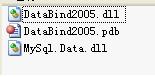
WDP
http://www.robotstxt.org/wc/norobots.html
现在所有网站都考虑seo,所谓seo就是优化网站对这些搜索引擎的友好度,让自己的网站更容易通过搜索引擎被访问到。然而,Robot程序抓你的网站页面时,有时会因为频率太高而影响你的服务器,所以,合理的设置robots.txt(注意,是robots)很重要。
若要控制爬网你的网站的时间和方式,请在网站的顶层(根)目录创建 robots.txt 文件。在 robots.txt 中,可以指定允许或阻止哪些爬网软件。大部分爬虫程序都遵循robots.txt的规范。
robots.txt是一个纯文本文件,通过在这个文件中声明该网站中不想被robots访问的部分,这样,该网站的部分或全部内容就可以不被搜索引擎收录了,或者指定搜索引擎只收录指定的内容。
当一个搜索机器人访问一个站点时,它会首先检查该站点根目录下是否存在robots.txt,如果找到,搜索机器人就会按照该文件中的内容来确定访问的范围,如果该文件不存在,那么搜索机器人就沿着链接抓取。
robots.txt必须放置在一个站点的根目录下,而且文件名必须全部小写。
下面是一些robots.txt基本的用法:
为了能快算理解算法,下面十分直观的描述一下算法,完整而严谨的描述请参考其他资料对辗转相除的描述。
问题:求a,b的最大公约数g
解决:不妨设a = alpha * g, b = beta * g且a > b
让大的减小的, 得到两个数 (alpha - beta) * g, beta * g
再大的减小的, g的系数越来越小, 这样减下去,直到g的系数成为一了,就把g找到了.
当然在实际计算中a, b不能是写成alpah * g, beta * g的形式的(都写成这样了,还用计算么?), 所以就反复你减我,我减你,直到得到两个相等的整数为止.这个整数就是a和b的最大公约数了.

| 日期 | 時間 | 課程名稱 | 講師 | 類型 | 初學者參加 |
| 2004/08/09 ~ 2004/08/13 | 上午 9:30 ~ 12:00 | 網頁基礎設計 | 陳劍恒 | 入門 | 可以,免基礎 |
| 2004/08/09 ~ 2004/08/13 | 下午 13:30 ~ 16:30 | FreeBSD入門教學 | 黃世銘 | 入門 | 可以,免基礎 |
| 2004/08/16 ~ 2004/08/20 | 上午 09:30 ~ 12:00 | 一周學會PHP接案 | 孫仲岳 | 入門 | 可以,免基礎 |
| 2004/08/16 ~ 2004/08/20 | 下午 13:30 ~ 16:30 | 網路概論 | 陳威任 | 入門 | 可以,免基礎 |
| 2004/08/30 ~ 2004/09/03 | 上午 09:30 ~ 12:00 | JSP網頁設計入門 | 歐陽芳泉 | 入門 | 可以,免基礎 |
| 2004/08/30 ~ 2004/09/03 | 下午 13:30 ~ 16:30 | Linux架站入門 | 林炫百 | 入門 | 可以,免基礎 |
| 2004/09/06 ~ 2004/09/10 | 上午 9:30 ~ 12:00 | Java程式設計入門 | 歐陽芳泉 | 入門 | 可以,免基礎 |
| 2004/09/06 ~ 2004/09/10 | 下午 13:30 ~ 16:30 | PHP 專案實戰講座 | 孫仲岳 | 進階 | 簡單的 PHP基礎 |
| 2004/09/23 ~ 2004/09/24 | 下午 19:00 ~ 21:30 | PHP 新手上路講座 | 孫仲岳 | 入門 | 可以,免基礎 |
| 2005/01/24 ~ 2005/01/28 | 上午 9:00 ~ 12:00 | Linux 入門教學 | 陳威任 | 入門 | 可以,免基礎 |
| 2005/01/24 ~ 2005/01/28 | 下午 2:00 ~ 5:00 | 一週學會 PHP 接案 | 孫仲岳 | 入門 | 可以,免基礎 |
| 2005/01/31 ~ 2005/02/04 | 上午 9:00 ~ 12:00 | 網路概論 | 曾全佑 | 入門 | 可以,免基礎 |
| 2005/01/31 ~ 2005/02/04 | 下午 2:00 ~ 5:00 | FreeBSD 入門教學 | 邱秉誠 | 入門 | 可以,免基礎 |
根据〖中华人民共和国国家标准 GB 11643-1999〗中有关公民身份号码的规定,公民身份号码是特征组合码,由十七位数字本体码和一位数字校验码组成。
排列顺序从左至右依次为:六位数字地址码,八位数字出生日期码,三位数字顺序码和一位数字校验码。
地址码表示编码对象常住户口所在县(市、旗、区)的行政区划代码。
生日期码表示编码对象出生的年、月、日,其中年份用四位数字表示,年、月、日之间不用分隔符。
顺序码表示同一地址码所标识的区域范围内,对同年、月、日出生的人员编定的顺序号。顺序码的奇数分给男性,偶数分给女性。
校验码是根据前面十七位数字码,按照ISO 7064:1983.MOD 11-2校验码计算出来的检验码。下面举例说明该计算方法。
15位的身份证编码首先把出生年扩展为4位,简单的就是增加一个19,但是这对于1900年出生的人不使用(这样的寿星不多了)
某男性公民身份号码本体码为34052419800101001,首先按照公式⑴计算:
∑(ai×Wi)(mod 11)……………………………………(1)
公式(1)中:
i----表示号码字符从由至左包括校验码在内的位置序号;
ai----表示第i位置上的号码字符值;
Wi----示第i位置上的加权因子,其数值依据公式Wi=2(n-1)(mod 11)计算得出。
i 18 17 16 15 14 13 12 11 10 9 8 7 6 5 4 3 2 1
ai 3 4 0 5 2 4 1 9 8 0 0 1 0 1 0 0 1 a1
Wi 7 9 10 5 8 4 2 1 6 3 7 9 10 5 8 4 2 1
ai×Wi 21 36 0 25 16 16 2 9 48 0 0 9 0 5 0 0 2 a1
根据公式(1)进行计算:
∑(ai×Wi) =(21+36+0+25+16+16+2+9+48++0+0+9+0+5+0+0+2) = 189
189 ÷ 11 = 17 + 2/11
∑(ai×Wi)(mod 11) = 2
然后根据计算的结果,从下面的表中查出相应的校验码,其中X表示计算结果为10:
∑(ai×WI)(mod 11) 0 1 2 3 4 5 6 7 8 9 10
校验码字符值ai 1 0 X 9 8 7 6 5 4 3 2
根据上表,查出计算结果为2的校验码为所以该人员的公民身份号码应该为 34052419800101001X。
C#代码:
private string per15To18(string perIDSrc)
{
    int iS = 0;

    //加权因子常数
    int[] iW = new int[] { 7, 9, 10, 5, 8, 4, 2, 1, 6, 3, 7, 9, 10, 5, 8, 4, 2 };
    //校验码常数
    string LastCode = "10X98765432";
    //新身份证号
    string perIDNew;

    perIDNew = perIDSrc.Substring(0, 6);
    //填在第6位及第7位上填上‘1’,‘9’两个数字
    perIDNew += "19";

    perIDNew += perIDSrc.Substring(6, 9);

    //进行加权求和
    for (int i = 0; i < 17; i++)
    {
        iS += int.Parse(perIDNew.Substring(i, 1)) * iW[i];
    }

    //取模运算,得到模值
    int iY = iS % 11;
    //从LastCode中取得以模为索引号的值,加到身份证的最后一位,即为新身份证号。
    perIDNew += LastCode.Substring(iY, 1);

    return perIDNew;
}
外部链接文字:10分
标题:10分
域名:7分
H1,H2字号标题:5分
每段首句:5分
路径或文件名:4分
相似度(关键词堆积):4分
每句开头:1.5分
加粗或斜体:1分
文本用法:1分
title属性:1分
alt标记:0.5分
Meta描述(Description):0.5分
Meta关键词(Keywords):0.05分
设置Apache虚拟目录
httpd.conf文件中加一行
Alias /vd "d:/vd/"
表示将d:/vd/目录设置为虚拟目录/vd/,那么你在d:/vd/下的文件,就可以通过在浏览器中输入“http://127.0.0.1/vd”访问。
注:当然你可以写成
Alias /vd/ "d:/vd/"
但是这样的话,你要输入http://127.0.0.1/vd/才能访问,而上面那种只要http://127.0.0.1/vd
2000/XP/2003 下 IIS+PHP+MySQL+Zend Optimizer+GD库+phpMyAdmin安装配置
(假设 C:\ 为你现在所使用操作系统的系统盘,如果你目前操作系统不是安装在 C:\ ,请自行修改。)
一、安装 IIS(Windows2003只要安装“应用程序服务器(IIS,ASP.NET)”即可跳过此步):
(1)插入系统盘;
(2)进入控制面板-》添加或删除程序-》添加/删除Windows组件-》在“Internet信息服务(IIS)打勾-》下一步安装。
(3)安装完成后在浏览器地址栏输入 htt://127.0.0.1 检查是否安装正常。
如果没有系统盘,那么下载 IIS 5.1 的安装包(for XP),重复上述步骤,安装时指定路径即可。
IIS下载地址:http://soft.mumayi.net/downinfo/2597.html
二、安装 PHP:
(1)官方下载:http://www.php.net/downloads.php。
(2)下载后得到 php 的 zip 压缩包,解压至 C:\php(这个路径可以随意,下面要是用到这个路径,请相应修改);
(3)将 C:\php\libmysql.dll 和 C:\php\ext\php_mysql.dll 复制到 C:\Windows\system32 下;
将 C:\php\php.ini-recommended 复制到 C:\Windows (Windows 2000 下为 C:\WINNT)并将改名为php.ini,
然后用记事本打开,利用记事本的查找功能搜索:
搜索“; Windows Extensions”并仅打开需要的模块以节省内存(去掉每个模块前的;号即可):
extension=php_gd2.dll
GD库支持,支持水印。
extension=php_mbstring.dll
支持phpMyAdmin
extension=php_mysql.dll
支持MySQL。
(4)配置 IIS 使其支持 PHP
在“控制面板”的“管理工具”中选择“Internet 服务管理器”,
然后在左侧选择你需要支持 PHP 的 Web 站点上单击右键选择“属性”,
在打开的“Web 站点属性”窗口的“ISAPI 筛选器”标签里找到并点击“添加”按钮,在弹出的“筛选器属性”窗口中的“筛选器名称”栏中输入:PHP,再将可执行文件指向 php5isapi.dll 所在路径,如:C:\php\php5isapi.dll。
打开“Web 站点属性”窗口的“主目录”标签,找到并点击“配置”按钮,在弹出的“应用程序配置”窗口中找到并点击“添加”按钮,在弹出的窗口中新增一个扩展名映射,扩展名为 .php ,单击“浏览”将可执行文件指向 php5isapi.dll 所在路径,如:C:\php\php5isapi.dll,然后一路确定即可。
再打开“Web 站点属性”窗口的“文档”标签,找到并点击“添加”按钮,向默认的 Web 站点启动文档列表中添加 index.php 项。您可以将 index.php 升到最高优先级,这样,访问站点时就会首先自动寻找并打开 index.php 文档。
确定 Web 目录的应用程序设置和执行许可中选择为纯脚本,然后关闭 Internet 信息服务管理器。
2003系统配置:在“Internet 服务管理器”左边的“WEB服务扩展”中设置:
ISAPI 扩展允许
开始-》运行-》输入“iisreset”,重启IIS。
在 IIS 根目录下新建一个 phpinfo.php,内容如下:
<?php
phpinfo();
?>
打开浏览器,输入:http://127.0.0.1/phpinfo.php,将显示当前服务器所支持 PHP 的全部信息。
三、安装 MySQL:
(1)官方下载:http://dev.mysql.com/downloads/mysql/5.2.html
custom
安装
Skip Sign-Up
Finish
Next
Standard Comfiguration
设置数据库密码
(重要)重新启动电脑!
四、安装 Zend Optimizer :(有需要时安装)
(1)官方下载:http://www.zend.com/products/zend_optimizer
(2)安装时只需选择Web服务器为iis,指定php.ini路径即可。
五、安装 phpMyAdmin:(用于管理MYSQL数据库,可选择)
下载 http://www.phpmyadmin.net,将其解压到站点根目录,
找到 ./libraties/config.default.php,做以下修改:
方案一:
搜索 $cfg['Servers'][$i]['auth_type'] 设置为config
搜索 $cfg['Servers'][$i]['user'] 用户名一般为root
搜索 $cfg['Servers'][$i]['password'] 设置MySQL的密码
打开浏览器,输入:http://127.0.0.1/phpMyAdmin/ ,若 IIS 和 MySQL 均已启动,即可浏览数据库内容。
(此设置允许任何人通过以上路径登录管理数据库,安全性极低)
方案二:
搜索 $cfg['Servers'][$i]['auth_type'] 设置为cookie
搜索 $cfg['Servers'][$i]['user'] 用户名一般为root
搜索 $cfg['PmaAbsoluteUri'] 访问路径,设置为http://127.0.0.1/phpmyadmin/
搜索 $cfg['blowfish_secret'] 这是cookie作用域,设置为127.0.0.1
(此设置只允许本机上登录,并且需要输入用户名密码才能登录,安全性极高)
-----------------------------------------------------------------------------------
至此所有安装完毕。以上配置在所有老版本软件中不一定有效,强烈推荐下载最新版本的软件。
简单安装过程:请各位注意安装顺序
----------------------------------------------------
(一)Apache:
装在默认目录。安装-自定义-全部选中。
----------------------------------------------------
(二)PHP:
第一步:压缩C:\php5目录下。
第二步:(将PHP目录添加到PATH环境变量中)开始 -> 控制面板 -> 系统 -> 高级 -> 环境变量 -> 系统变量 -> Path -> 双击 -> 加入“;C:\php5”
第三步:将C:\php5\php.ini-recommended 重命名为 php.ini 。
用记事本打开 php.ini ,查找register_globals = Off,把off改成On (有二处)
查找short_open_tag = Off,把off改成On 有一处
查找extension_dir = "./" 改为 extension_dir = "C:\php5\ext"
查找;extension=php_mbstring.dll,把下面几句前面的分号去掉
extension=php_mbstring.dll
extension=php_dba.dll
extension=php_dbase.dll
extension=php_filepro.dll
extension=php_gd2.dll
extension=php_imap.dll
extension=php_ldap.dll
extension=php_mysql.dll
修改了一些文件上传以及内存使用最大限制:
memory_limit = 20M 内存容量
post_max_size = 20M 闪存容量
upload_max_filesize = 20M 附件容量
保存退出。
第四步:(使php.ini文件在Windows下被PHP所用)
开始 -> 控制面板 -> 系统 -> 高级 -> 环境变量 -> 系统变量 -> 新建 -> 输入“PHPRC” -> 在“变量值”中输入 php.ini文件所在的目录(例如:C:\php5)
点击“确定”
Microsoft Windows 下的 Apache 2.0.x
先停止Apache
用记事本打开C:\Apache2\conf(可能在C:\Program Files\Apache Group\Apache2\conf)下的httpd.conf
这个文件我改了几个地方:
把PHP直接作为apache的一个模块运行,我在里面加了两句:
查找到 #LoadModule ssl_module modules/mod_ssl.so 在它的下面一行加上
LoadModule php5_module "C:/PHP5/php5apache2.dll"
AddType application/x-httpd-php .php 注意点前面有个空格滴,大家最好用复制粘贴
(新版apache2.2的php5apache2_2.dll在外面,放上去同理用)
我在D盘下建立了一个www的目录用于存放我的站点文件,在http.conf里改了这样一句话:
把
DocumentRoot "C:/Program Files/Apache Group/Apache2/htdocs"
改成了
DocumentRoot "D:/www"
所有
Apache2.0.x于1.3.x相比2.0.x默认不能直接列目录,如需,就改:
把DocumentRoot "E:/www"这句下的如下语句
<Directory />
Options FollowSymLinks
AllowOverride None
</Directory>
改为:
<Directory />
Options Indexes FollowSymLinks
AllowOverride None
</Directory>
修改目录的默认首页:
如:DirectoryIndex index.htm index.html index.php index.html index.html.var
别的就没再动什么地方,保存后退出。
注意一点的是,要使以上所有这些配置生效需要重新启动电脑
最后我们来测试PHP是否正常载入。打开记事本,输入
<?php
phpinfo();
?>
保存,在弹出的窗口中,文件类型选所有文件,文件名为phpinfo.php,保存位置为网站目录下。如(E:\www\phpinfo.php)
打开IE浏览器输入:http://localhost/phpinfo.php 如果能正常显示就OK了。
-------------------------------------------------------
(三)Zend:
先停止Apache
安装Zend Optimizer也很简单,安装中它会两处提示其一:选择那种服务器?请选择Apache。其二:PHP.ini的路径?请选择C:\PHP5。其它的按默认配置安装就行了。OK安装完后我的Zend目录就是C:\Zend。
-------------------------------------------------------
(四)Mysql:
部署Silverlight到产品Web服务器是一个相当容易的过程,尽管有时候会有一些错觉——譬如,认为Silverlight需要部署在基于微软的Web服务器(IIS)上,事实上, Silverlight不强制一定部署在基于微软的Web服务器上,Apache也可以像IIS一样,轻松愉快的支持Silverlight运行。
但是还是要那么一点东东要指出来:Web服务器通常都只支持有限种已知扩展名的静态文件内容。看起来都很好,但是Silverlight引入了两个新的文件扩展(.xaml为松散XAML文件;.xap为基于zip压缩的二进制包格式文件),因此,你需要为web服务器添加MIME类型,这样才能让Web服务器识别并处理那些类型的文件。下面列出了你需要添加到Web服务器的MIME类型:
| Extension | MIME Type |
| .xaml | application/xaml+xml |
| .xap | application/x-silverlight-app |
这些就是你所有需要做的。但是具体到如何为不同的web服务器添加MIME类型,实际因web服务的不同而不同,下面列出了目前流行的一些web服务器和他们的链接,你可以从哪里找到如何配置和更多的信息:
当你在更新所支持的MIME类型的时候,或许还想添加相关的类型,如WPF和ClickOne应用程序的支持,那么还需要添加下表中的MIME类型:
| Extension | MIME Type |
| .manifest | application/manifest |
| .application | application/x-ms-application |
| .xbap | application/x-ms-xbap |
| .deploy | application/octet-stream |
| .xps | application/vnd.ms-xpsdocument |
但是如果你的web服务器在一个你不能修改其配置的共享的服务器上,那么你可以通过修改XAP文件成web服务器已支持的MIME类型来“欺骗”服务器,从而支持xap文件。XAP文件实际上是基于zip压缩的,所以可以直接把.XAP给成.ZIP,并在HTML中把Silverlight对象的source参数指到新的文件目录即可。这里有一个示例(点击这里查看),通过查看网页源代码你可以看到这项技术的实质——它就是指向一个zip压缩文件(里面包含Silverlight内容的)的纯HTML页面。
最后有一个好消息是,随Windows Server 2008发布的IIS 7.0默认已经支持了以上的WPF和Silverlight的MIME类型,包括.xap和.xaml类型扩展。所以如果你使用Windows Server 2008,就已经万事大全,只欠东风了。(另外,对于Vista,不论是全新的安装Vista SP1还是从Vista SP1 RTM升级到SP1 Release,你的IIS的配置只有在先卸载IIS功能在重新安装IIS才会更新。)